React Developer Freelancer for Websites
A practical guide to hiring a React Developer Freelancer for business websites, frontend interfaces, dashboards, and custom web applications.

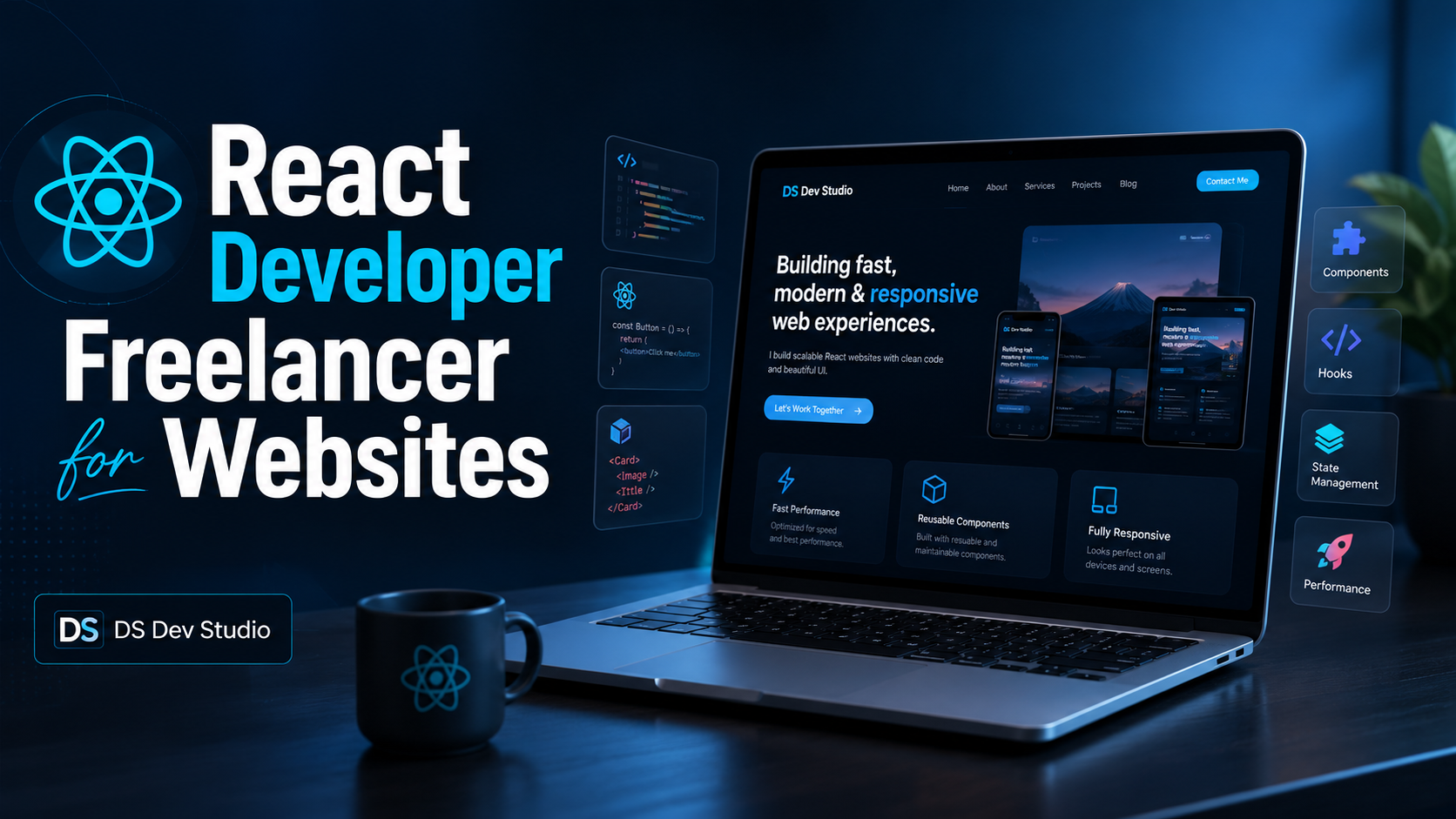
A React Developer Freelancer can help businesses build fast, structured, and modern web interfaces. React is useful when a website needs reusable components, dynamic sections, route-based pages, API-connected data, forms, dashboards, or custom user experiences. For many businesses, React is a practical choice because it allows the frontend to be organized into smaller parts that are easier to maintain and improve over time.
React is not only for large applications. It can also be used for portfolio websites, service websites, business websites, landing pages, admin panels, CRM interfaces, and frontend sections that need clean structure. If your website is expected to grow with blogs, services, case studies, project pages, contact forms, or user-focused sections, React can make that structure easier to manage.
When you hire a React Developer, you are not only hiring someone to create pages. You are hiring someone to think about components, page flow, responsive layout, content structure, performance, routing, and how the website will handle future changes. A well-built React website can be easier to expand than a static page system because common elements such as headers, footers, buttons, cards, forms, and page sections can be reused across the website.
Why choose React for frontend development
React helps developers divide a website into reusable components. This means sections such as header, footer, service cards, project cards, blog cards, contact forms, testimonial sections, FAQ blocks, and detail pages can be managed more cleanly. For a business website, this makes future improvements easier because one component can be updated and reused across multiple pages.
A Frontend Developer Freelancer with React experience can create structured pages, responsive UI, dynamic content, and better page-level organization compared to a completely static layout. For example, if you have multiple service pages, the same service card structure can be reused. If you have multiple blog posts, the same blog card and blog detail layout can be reused. If you have multiple projects, the same project card and case study template can be reused.
React also works well when the website needs interactive sections. This may include tabs, filters, dynamic forms, dashboards, search behavior, API-connected lists, mobile menus, dark mode, reading progress bars, thank-you page redirects, or reusable UI patterns. These features are easier to organize when the frontend is built with a component-based approach.
When should you hire a React Developer?
You should hire a React Developer when your website or web application needs more than a basic static design. React is useful when the project requires dynamic content, reusable UI, route-based pages, or a frontend that can grow over time. If your website needs service pages, blog detail pages, project case studies, contact forms, and future content expansion, React can give the project a strong structure.
A React Developer Freelancer is also useful when your website needs to connect with data. For example, a CRM interface may need to show records from an API. An admin dashboard may need tables, filters, edit forms, and cards. A portfolio website may need dynamic blogs and projects from data files. A business website may need reusable service pages that are easy to add in the future.
- You need a modern business website with reusable components.
- You want a portfolio or company website with multiple route-based pages.
- You need an admin dashboard or CRM interface.
- You want frontend pages connected with REST APIs.
- You need forms, filters, dynamic cards, tabs, or interactive sections.
- You want a website that can grow with blogs, projects, services, and case studies.
- You want cleaner code structure compared to repeated static HTML sections.
- You need a responsive website that works properly on mobile, tablet, laptop, and desktop.
React developer for business websites
A React Developer for Website projects can help build professional sections such as hero banners, service pages, project galleries, testimonials, FAQs, contact forms, thank-you pages, blogs, and case studies. These sections can be managed through data files or reusable components, making the website easier to expand. This is useful for businesses that want a website that does not remain stuck as a one-time static project.
For example, a business website may start with Home, About, Services, Projects, Blogs, and Contact pages. Later, the business may want separate service detail pages, location pages, blog posts, landing pages, and project case studies. If the frontend is planned properly in React, new pages and content sections can be added with less duplication.
React also helps when the design system needs consistency. Buttons, cards, headings, forms, and CTA sections can follow the same pattern across the website. This makes the website feel more professional and reduces the chance of mismatched spacing, inconsistent colors, or repeated layout errors.
React admin dashboards and CRM interfaces
React is strong for admin panels, CRM interfaces, ERP modules, and API-connected dashboards. A React Admin Dashboard Developer can create tables, forms, filters, cards, modals, data views, user interfaces, and dashboard sections that connect with backend APIs. This makes React useful for internal business tools as well as public-facing websites.
A CRM interface may need lead records, customer details, search filters, status updates, notes, follow-up sections, and reports. An admin panel may need user management, enquiry data, service records, product information, or content controls. React can manage these interface states in a structured way when the project is planned correctly.
For dashboards, React can handle reusable table components, form components, filter panels, cards, charts, alerts, loading states, and empty states. This is helpful because dashboards often grow over time. A clean component structure can make it easier to add new modules and improve the interface later.
React with backend and API integration
React is a frontend library, so it often works with backend systems through APIs. A backend may be built with PHP, Laravel, CodeIgniter, Node.js, Firebase, or another platform. React can fetch data from APIs, submit forms, display records, update dashboards, and create interactive user flows. This makes it suitable for web applications that need frontend and backend communication.
API integration is important for projects such as CRM dashboards, admin panels, enquiry systems, custom forms, reporting pages, and business applications. For example, a contact form may send data to an email service or backend database. A dashboard may fetch customer records from a server. A blog system may load content from a CMS or data file. React can manage these frontend interactions while the backend handles storage and logic.
When hiring a React Developer Freelancer, it is useful to check whether the developer understands API flow, loading states, error handling, form validation, and responsive layout. A good interface should not only display data. It should also handle real user behavior, such as empty fields, slow connections, wrong inputs, and mobile usage.
React vs WordPress for business websites
React and WordPress serve different needs. WordPress is useful when the main requirement is content management. It allows website owners to update pages and blogs through a CMS. React is useful when the website needs a custom frontend structure, reusable components, dynamic behavior, or application-like features. The right choice depends on the project goal.
If a business wants a simple website with easy content editing, WordPress may be practical. If the business wants a highly custom frontend, dynamic project pages, API-connected sections, dashboards, or a more structured component system, React may be better. In some cases, both can work together, where WordPress handles content and React handles the frontend experience.
A good developer should not recommend React for every project automatically. The technology should match the requirement, budget, future updates, and business workflow. DS Dev Studio focuses on choosing a practical development approach instead of forcing one technology for every website.
What to check before hiring a React Developer Freelancer
Before you hire a React Developer, check whether the developer has experience with real frontend projects. A portfolio can show how the developer handles layout, spacing, responsive behavior, project cards, service sections, blog pages, forms, and detail pages. React skill is not only about writing components. It is also about building a user interface that feels clean, readable, and useful.
Review whether the developer understands routing, reusable components, data-driven rendering, SEO basics, image alt text, internal linking, and deployment. React websites can face SEO challenges if they are not structured properly. For public business websites, page metadata, prerendering, clean routes, sitemap support, and useful content are important.
- Check React project examples or portfolio work.
- Review whether the developer can create reusable components.
- Ask about responsive design for mobile and desktop screens.
- Check experience with forms, routing, dynamic pages, and API integration.
- Ask whether the website can include SEO metadata, sitemap, and clean URLs.
- Confirm whether the developer can deploy the project and test production pages.
- Ask how future blogs, services, projects, and case studies will be added.
React website structure for SEO
A React website should be planned carefully for SEO. Search engines need clear page content, titles, meta descriptions, canonical URLs, headings, image alt text, internal links, and accessible page structure. If a React website only loads content after JavaScript without proper rendering strategy, source content may appear weak. This is why route-level metadata and prerendered pages can be useful for portfolio and business websites.
For a business website, every important page should have a clear H1 with the primary keyword, H2 headings with service keywords, paragraphs with related keywords, image alt text with project or service keywords, and internal links with descriptive anchor text. A React Developer Freelancer who understands SEO-friendly development can help create a stronger foundation for search visibility.
SEO-friendly React development also includes clean URLs. For example, service pages can use routes such as /services/react-frontend-development, project pages can use /projects/project-name, and blog posts can use /blogs/blog-title. These routes are easier for users and search engines to understand compared to unclear or overly complex URLs.
How DS Dev Studio works with React projects
DS Dev Studio by Deepak Sharma focuses on clean React structure, responsive UI, practical components, route-based pages, SEO-friendly setup, form functionality, and deployment-ready builds. The goal is to create a website or interface that looks professional and is manageable for future growth. This is especially useful for businesses that want blogs, projects, services, case studies, and contact workflows inside one structured website.
Deepak Sharma React Developer work can include portfolio websites, service websites, landing pages, admin dashboards, CRM interfaces, API-connected screens, reusable components, and frontend improvements. Depending on the project, React can be combined with Tailwind CSS, Firebase Hosting, EmailJS, backend APIs, PHP systems, Laravel, CodeIgniter, or MySQL workflows.
If you want to hire a React Developer for a business website, DS Dev Studio can help plan the page structure, create reusable UI components, add responsive sections, build service pages, set up contact forms, prepare blog layouts, and organize project or case study pages. The development approach stays focused on practical business use, not unnecessary complexity.
Conclusion
A React Developer Freelancer is useful when your website or application needs more than a static layout. React helps create reusable components, scalable page structure, API-connected interfaces, dashboards, and modern frontend experiences. For business websites, React can support service pages, project cards, blog detail pages, case studies, contact forms, FAQs, and future content expansion. For custom web applications, it can support dashboards, CRM interfaces, data tables, forms, filters, and API-connected workflows. The right React developer should understand not only components but also responsive design, user experience, SEO-friendly structure, routing, performance, and long-term maintainability. DS Dev Studio by Deepak Sharma can help businesses build React websites, admin dashboards, frontend interfaces, and custom web applications with clean structure, responsive design, and practical development planning.
Useful internal links
Frequently asked questions
Can I hire Deepak Sharma as a React Developer Freelancer?+
Yes. You can hire Deepak Sharma for React websites, frontend interfaces, admin dashboards, portfolio websites, service pages, landing pages, reusable components, and API-connected React projects.
Is React good for a business website?+
Yes. React is useful for business websites that need reusable sections, dynamic pages, blogs, service pages, project pages, contact forms, dashboards, case studies, and future scalability.
Can React connect with backend APIs?+
Yes. React can connect with backend APIs for dashboards, CRM systems, admin panels, data tables, forms, filters, user workflows, reports, and custom web applications.
When should I hire a React Developer instead of a normal website developer?+
You should hire a React Developer when your website needs reusable components, route-based pages, dynamic data, dashboards, API integration, complex UI states, scalable frontend architecture, or application-like behavior.
Can DS Dev Studio build React admin dashboards?+
Yes. DS Dev Studio can build React admin dashboards, CRM interfaces, ERP modules, API-connected tables, forms, filters, reusable cards, and business web application interfaces.